Cart Drawer & Cart Page
Manage how customers review their orders before checking out using the slide-out cart drawer or the dedicated cart page template.
SAISON supports both a quick Cart Drawer and a full Cart Page. It is highly recommended to use both: the drawer keeps shopping fast by not pulling the customer away from their current page, while the full cart page supports a more comprehensive review for larger orders.
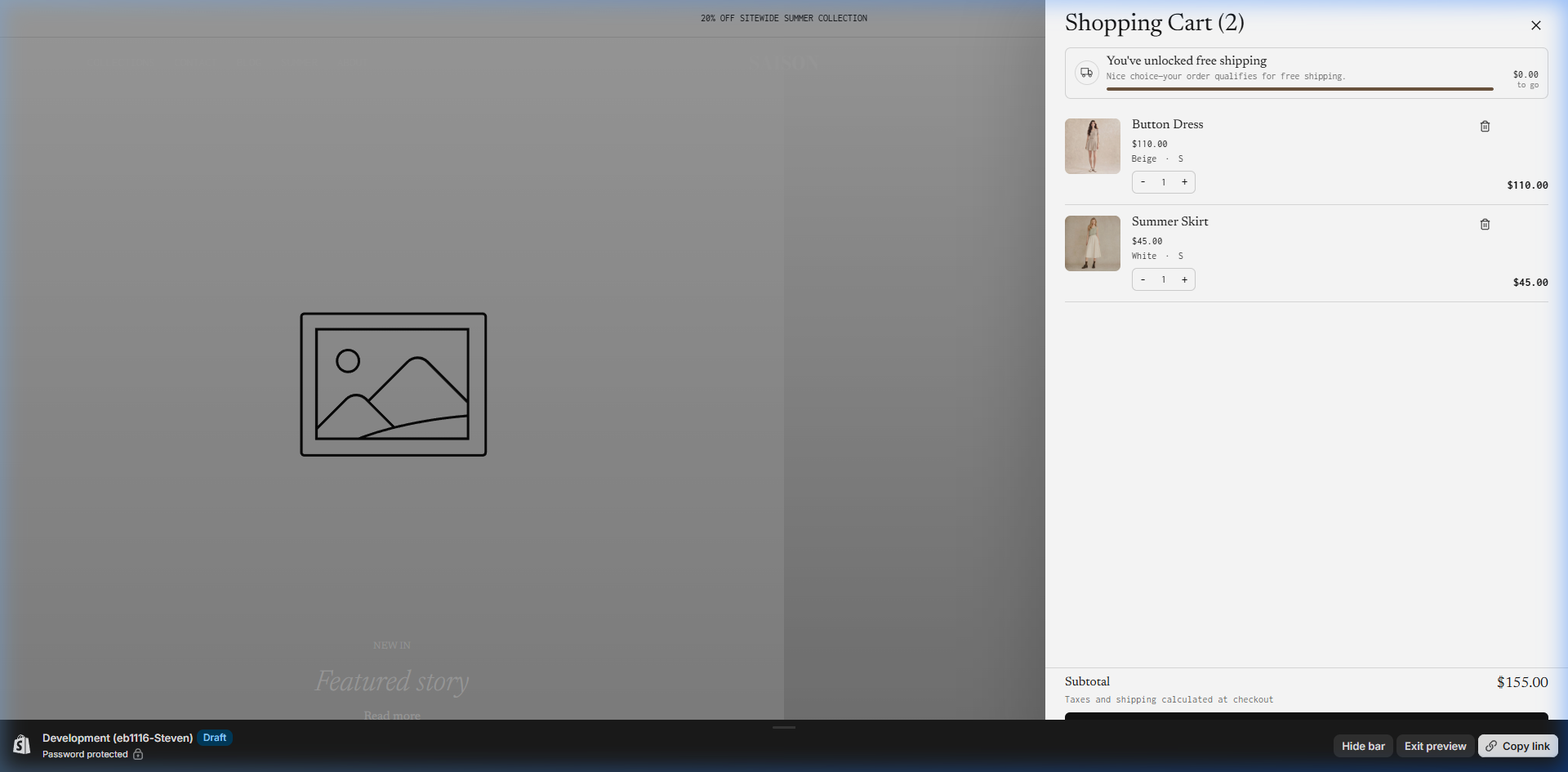
- Match the free shipping threshold to Shopify shipping rates.
- Test quantity changes, item removal, checkout, and dynamic payment buttons.
- Keep the full cart page configured even when the drawer is the primary cart experience.
Cart Drawer
The Cart Drawer slides out from the side of the screen when a customer adds a product or clicks the cart icon in the header.
- Enable the cart drawer in Theme settings > Product selling > Cart.
- Set the free shipping threshold message to encourage larger orders.
- Choose whether to show secure payment icons at the bottom of the drawer.
- Choose whether to show dynamic checkout buttons in the drawer.
- Test quantity updates, item removal, and the main checkout button.
Free Shipping Threshold: SAISON calculates the remaining amount dynamically. Ensure your threshold here perfectly matches the shipping rates you configured in Shopify Admin.
Full Cart Page (cart.json)
Even if you use the Cart Drawer primarily, some customers (especially on mobile or from abandoned cart emails) will end up on the full /cart page. Shopify Theme Store requirements dictate that this page must be fully functional.
Navigate to the Cart template
In the Theme Editor, use the top dropdown menu to select Cart.
Configure Cart Notes & Discounts
Click on the Subtotal block in the left sidebar. Ensure Cart Notes are enabled if you allow special instructions for orders (e.g., gift messages).
Enable Accelerated Checkout Buttons
Dynamic checkout buttons (like Shop Pay, Apple Pay, PayPal) can be toggled on the Checkout block. These buttons dramatically increase conversion rates.
Key Settings
| Setting | Location | Recommended | Notes |
|---|---|---|---|
| Enable cart drawer | Theme settings > Product selling > Cart | Enabled | Shows cart as a slide-out drawer instead of forcing a page change. |
| Free shipping threshold | Cart drawer section | Match your shipping settings | The current drawer section default is 120. Change it to your actual free shipping threshold. |
| Show payment icons | Cart drawer section | Enabled | Adds trust near the checkout action. |
| Show dynamic checkout | Cart drawer section | Enabled if supported by payment setup | Lets accelerated payment options appear from the drawer. |
| Show cart note | Cart template > Subtotal block | Optional | Allows customers to leave special instructions. |
| Full cart page | Cart template | Keep configured even when drawer is enabled | Customers can still reach `/cart` from links, redirects, or abandoned cart flows. |
Common Mistakes
- Testing only the cart drawer: Always test the full
/cartURL as well. - Mismatched shipping rates: Setting a free shipping threshold that doesn't actually trigger free shipping at checkout.
- Forgetting accelerated checkout buttons: Missing out on Shop Pay or Apple Pay conversions.